How to Track Client Revision Rounds (2 of 3 Used)
How to track client revision rounds per deliverable, show '2 of 3 used' on every version, and pause at the limit until the extra round is approved.

If you want to know how to track client revision rounds, keep one log per deliverable, write the running count on every version you send (Homepage, 2 of 3 used), and stop when the included rounds are gone until the next one is approved. A number in the contract only works if you and the client can see the same count.
This guide is about the tracking side: the log, the visible count, and what to do at the limit. For how to define a round, how many to include and how to price extras, use how to charge for extra revisions. You can paste the rules into the revision policy template, and price an extra round with the revision cost calculator.
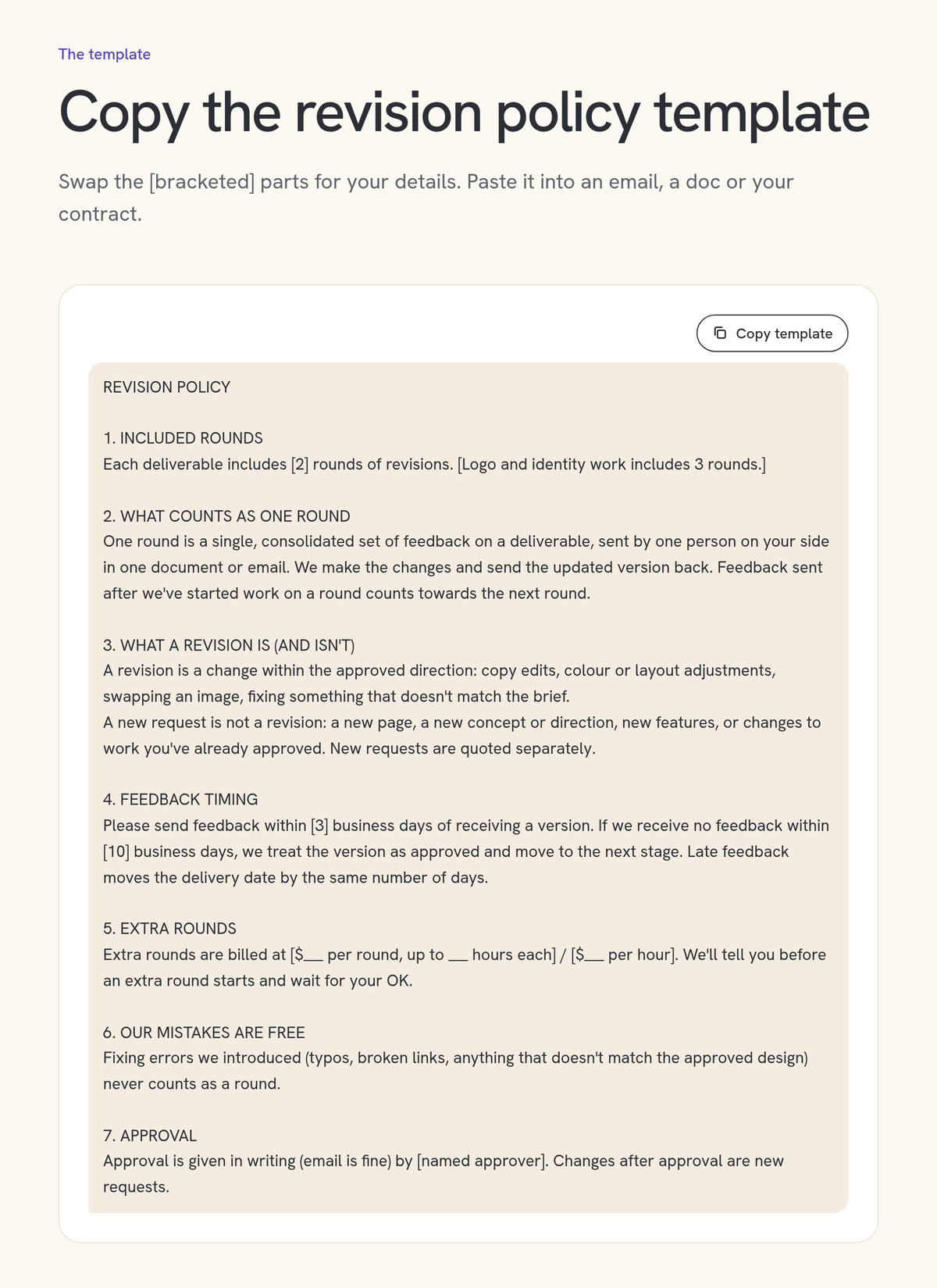
Paste the rules into the free revision policy template before you start tracking.
Why do revision limits fail without a log?
A revision limit only works if both sides can point to the same number. Without a log, you count drip emails as three rounds and the client remembers one long conversation. Disputes start there, not over the fee. Write every round down, per deliverable, and show the running count on the versions you send.
The pattern is familiar. The scope says two rounds. Feedback arrives in five messages, a voice note and a comment in the file. You count more than one round; the client calls it all "the first set of notes." Nobody can prove either side, so the extra pass gets done for free.
That unpaid pass is a form of scope creep: extra work that slips in without a new agreement. A log doesn't make the client difficult. It gives both of you one place to look.
PMI's Margaret Love, writing about project change logs, says decisions that aren't clearly documented and approved are "subject to rehash" later. Her advice is to keep a log of the key facts (a number, a title, a status, and one or two other fields) and to update it while the work is still in motion.
What do you need in place before you start tracking?
You need the rules in writing before the first file goes out: how many rounds each deliverable includes, what one round is, who sends the feedback, and what happens after the last included round. Tracking records those rules. It can't invent them mid-project, when everyone is already attached to the work.
AIGA's guide to writing design proposals already asks you to spell out, for each phase, "the number of revisions or refinements that are included." Put that number in the scope of work next to the deliverable, not only in the terms at the back. If you need help with the wording, the revision policy template covers the usual clauses: what a round is, what isn't a revision, feedback timing, extra-round pricing, and the rule that your own mistakes don't count.
Two points are worth repeating, then this post leaves them alone. A round is one consolidated list of changes, from the named approver, on one deliverable, which you then action in one pass. The included number is a choice you price in; two rounds per deliverable is a common default. How to charge for extra revisions covers both, including what happens after sign-off.
If the current scope is still vague, fix that first. How to write a scope of work walks through each section, and the web-specific cap lives in how to prevent scope creep in web design.
How do you track client revision rounds, step by step?
Open a log with one section per deliverable. When the first version goes out, the count is zero. Each time the named approver sends a consolidated list and you return a new version, close that round the same day and put the new count on the file and in the email. At the limit, pause for approval.
In order:
Write the rules into the scope, per deliverable, including what a round is and what happens after the last included one.
Open the log before kickoff, with one section (or set of rows) for each deliverable and the included number already filled in.
Send the first version with the count at zero. The first delivery is not a revision. A clear label is "Homepage, first version, 0 of 2 revision rounds used."
Confirm the feedback list before you start. A short reply ("I'm reading these four changes; is that the full list for this round?") closes the drip and gives you a written record.
Do the work, send the new version, and close the round the same day. Update the log before you move on. Label the file and the email with the new count: "Homepage, version 2, 1 of 2 used."
On the last included round, say so in the delivery note, so the next request isn't a surprise.
At the limit, stop, quote, and wait for a yes before opening an extra row in the log.
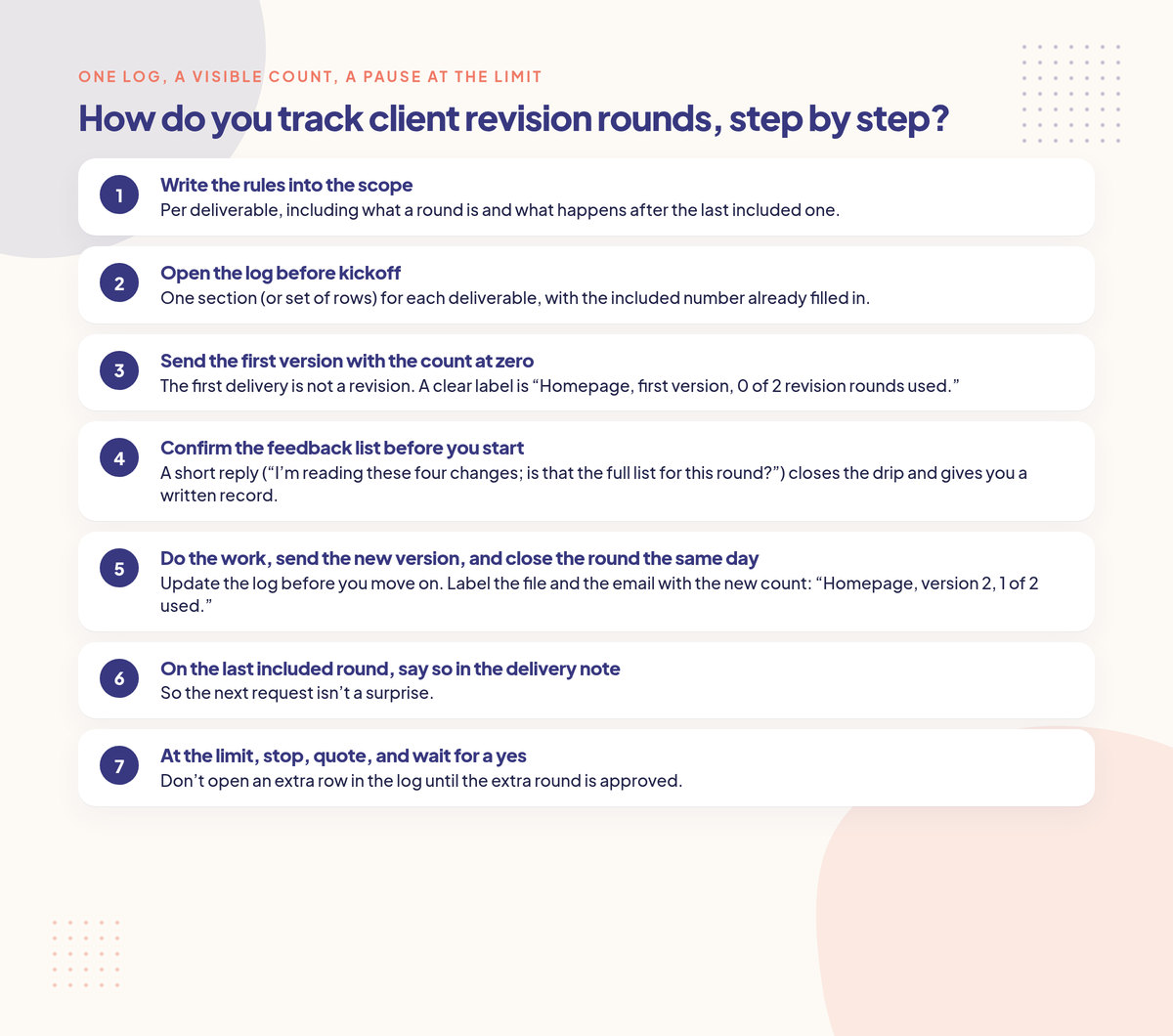
Open a log per deliverable, put the running count on every version, and stop at the limit until the next round is approved.
Use the same rule on every project, and write it into the policy. Some teams count the first delivery as "round 1." Either system can work; mixing them is what makes the numbers untrustworthy.
Keep the log in one live file, not a new attachment every week. Love's PMI paper notes that printed copies go stale quickly, and that a log alone is enough when the key facts fit without long paragraphs. A shared spreadsheet or a table in your project doc is plenty, as long as there is one current copy and someone updates it when the round closes.
What should a revision round log include?
At minimum, the log should name the deliverable, the included limit, the round number, the dates it opened and closed, the version you sent, a short summary of the feedback, whether the round was included or extra, and who approved it. One row per round is enough. Individual comments belong in the feedback list, not as extra rows.
A practical set of columns:
Column | What to enter |
|---|---|
Deliverable | Homepage, logo, article, video cut, and so on |
Included rounds | The number written in the scope, such as 2 |
Round | 1, 2, or Extra 1 |
Opened / closed | Date the confirmed list arrived, and the date you sent the new version |
Version sent | File name or the link to that version |
Feedback summary | A short list, or a link to the confirmed list |
Included or extra | Included, until the cap is used; extra after that |
Approval | Who signed off, and the date, or "pending" |
Evidence | The email, comment thread or request where the list and the yes live |
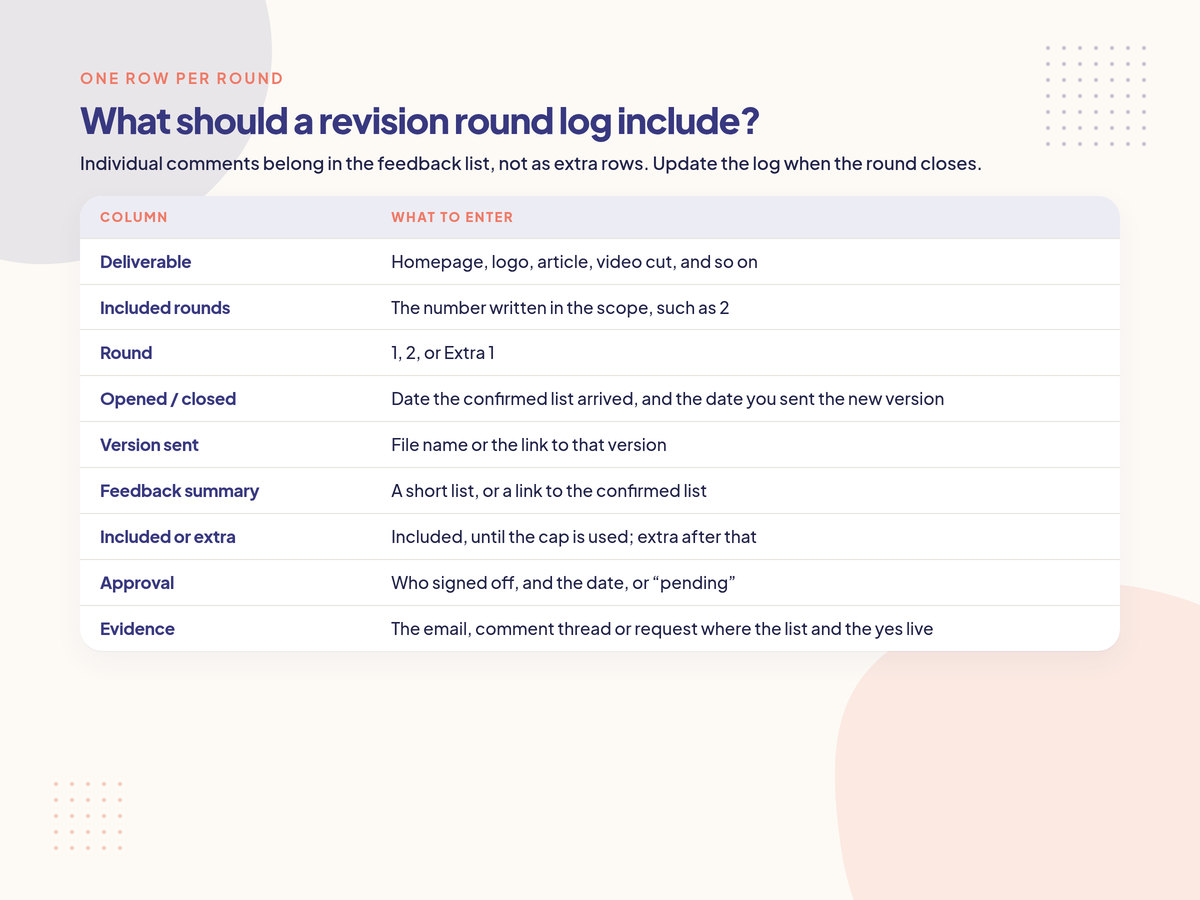
One row per round is enough. Individual comments belong in the feedback list, not as extra rows.
You don't need a separate form for every round on a small job. If the confirmed feedback list already lives in an email or a comment thread, link it from the Evidence column and keep the log short. Update the log when the round closes. If a week gets away from you, catch up from the emails before you send the next version, so the count on that version is still true.
How do you show the client "2 of 3 used"?
Put the count where the client already looks: the file name, the subject line, and the first sentence of the delivery email. A private spreadsheet they never see doesn't count. Share a view-only log, or use a client page that shows what's included and what's used, so the number is visible long before anyone is over the limit.
Three places are enough for most projects:
The file name.
homepage-v2-1-of-2.pdfis harder to misread thanhomepage-FINAL-revised-v2.pdf.The subject line and the first sentence. "Homepage, version 2, 1 of 2 revision rounds used. One included round remains."
A view-only copy of the log, or a short status line at the top of the shared folder ("Home 1/2, Menu 0/2, Reservations 0/2").
Say the count from the first delivery, when it is still 0 of 2. People accept a limit they have already been looking at. They push back on one they first hear about on round 3.
On the last included round, add one plain sentence: "This is the last included round on the homepage. If you'd like another pass after this, I'll send a short quote before starting." That is a heads-up, not a threat.
If you want the client to see the same meters without opening a spreadsheet, that's the job of a scope creep tool with a client-facing count. In Creepless, each client gets a private request link, with no login, where they can see what the plan includes and what they have used, including revision rounds. Requests past the revision limit are marked Extra, then quoted, and work starts after the client approves the quote on that same link (how it works).
When does a revision round start and end?
A round starts when the named approver sends one consolidated list of changes on the current version, and it ends when you send the revised file back and mark the log closed. Feedback that arrives after you've started work on that list belongs in the next round, not in the one already underway.
The open and close dates matter because that's what you'll point to later. If you start as soon as the first email arrives, then accept three more messages while you're working, you have quietly agreed that "round 1" has no end.
A simple close-the-list reply:
Thanks, I've got these changes for homepage round 1:
1. New headline on the hero
2. Swap the two testimonials
3. More space above the footer on mobileIs that everything for this round? I'll start once you confirm, and I'll send version 2 back with the count updated to 1 of 2 used.
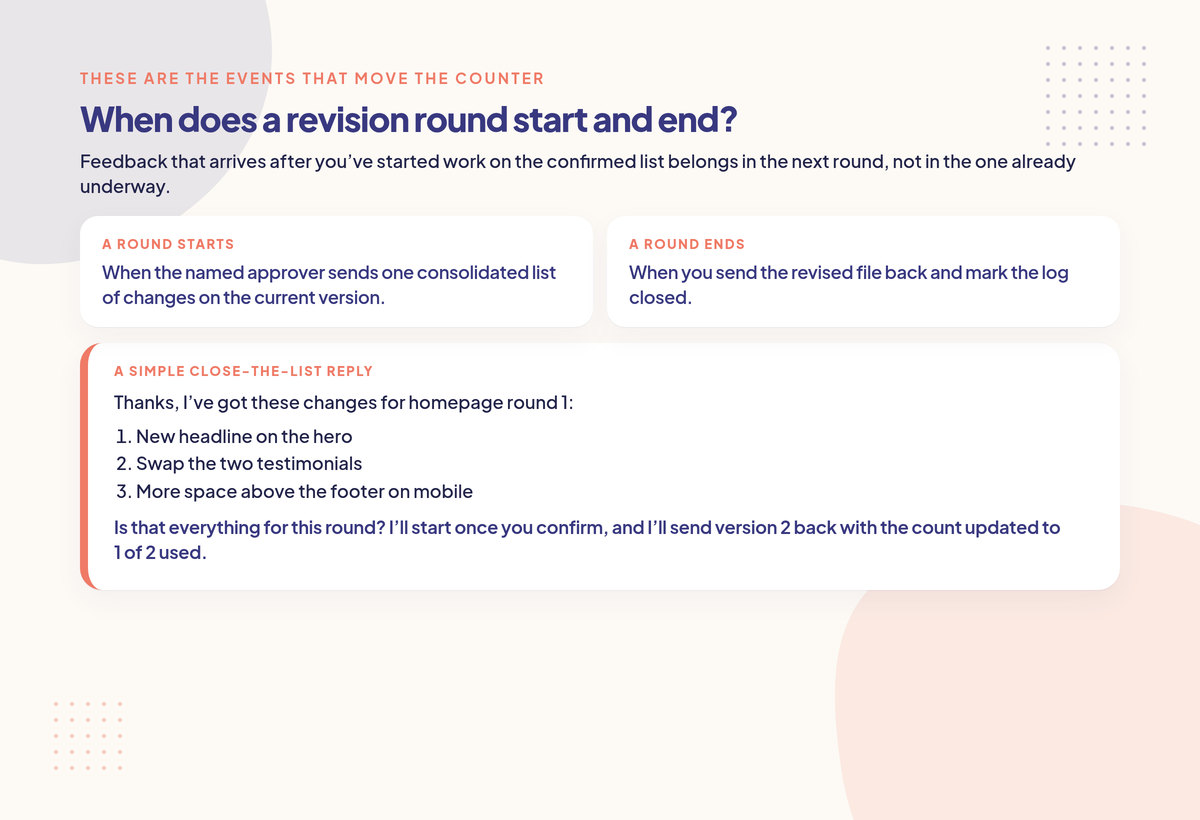
Confirm the list, then start. Feedback that arrives after you've started belongs in the next round.
If they add a fourth item before you start, fold it in and confirm the new list. If they add it after you've started, it goes on the list for the next round. That rule has to be in the policy, or it sounds made up in the moment.
For the full definition of a round, and for what isn't a revision (a new page, a new concept, or a change after sign-off), stay with how to charge for extra revisions. This post only needs the start and end, because those are the events that move the counter.
How do you track rounds across several deliverables?
Give each deliverable its own counter and its own rows in the log. The homepage can be on round 2 of 2 while the about page is still on 0 of 2. If you use one project-wide number, one talkative page will burn the rounds you meant for the rest of the work.
This is the mistake that makes a "2 rounds included" project feel unlimited. The client spends both rounds on the homepage, then starts on the inner pages and assumes those edits are still covered. If the scope said "2 rounds" without "per deliverable" or "per stage," they have a point.
Write the cap the way you intend to count it:
Per deliverable: 2 rounds on the homepage, 2 on the about page, 2 on the logo.
Per stage, for bigger builds: 2 rounds on design, 1 on the built site, as in the web design prevention guide.
Then show a one-line summary so the split is visible:
Current revision count: Homepage 2 of 2 used. Menu page 1 of 2. Reservations page 0 of 2.
A request that spans two deliverables ("make the header match on Home and Menu") should be logged against both, or treated as two small items in the same round on each page. Pick one method and use it every time.
What do you do when the revision limit is reached?
Stop work on that deliverable. Tell the client the included rounds are used, point to the log, and send the price for an extra round. Wait for a written yes before you start. Starting "while they think about it" is how the limit quietly disappears.
PMI's Richard Cockfield, in a PM Network paper on scope management, describes the same sequence for any change to agreed work: it has to be "identified, defined, communicated and coordinated before approval" by a pre-determined person, and "only then is direction given to those responsible to initiate work on the change." AIGA's proposal guidance calls that document a change order: describe the extra time and money, get an authorized signature, and invoice it separately once the work is done.
You don't need a long legal form for one extra design round. You do need a written price and a yes. Price the round using how to charge for extra revisions or the revision cost calculator. If the request is actually new work, use how to price a change request and a change request form or a change order template instead of burning another "revision."
A delivery note on the last included round:
Here's the homepage, version 3, 2 of 2 revision rounds used. This is the last included round on this page. If you'd like another pass after this, I'll send a short quote and wait for your go-ahead before starting.
And when the next list arrives:
Thanks for the new notes on the homepage. The two included rounds are used (round 1 closed on 4 March, round 2 closed on 11 March, both in the shared log). I'm happy to do another pass. That would be an extra round, at [price], and I'll start once you approve it. If you'd rather save this for a later update, we can leave the page as it is.
If you already have a wording you like, the out-of-scope email templates include a note for after the revision cap, and the out-of-scope scripts cover the wider set of replies.
Three exceptions, which should already be in the policy:
Your mistakes are free and do not use a round: typos you introduced, a broken link, a colour that doesn't match the approved palette.
A change after written approval is not a revision. It's new work, quoted separately.
A new direction is not a revision. Throwing out an approved layout is a change, not round 3. How to handle a client who keeps changing their mind sorts that case.
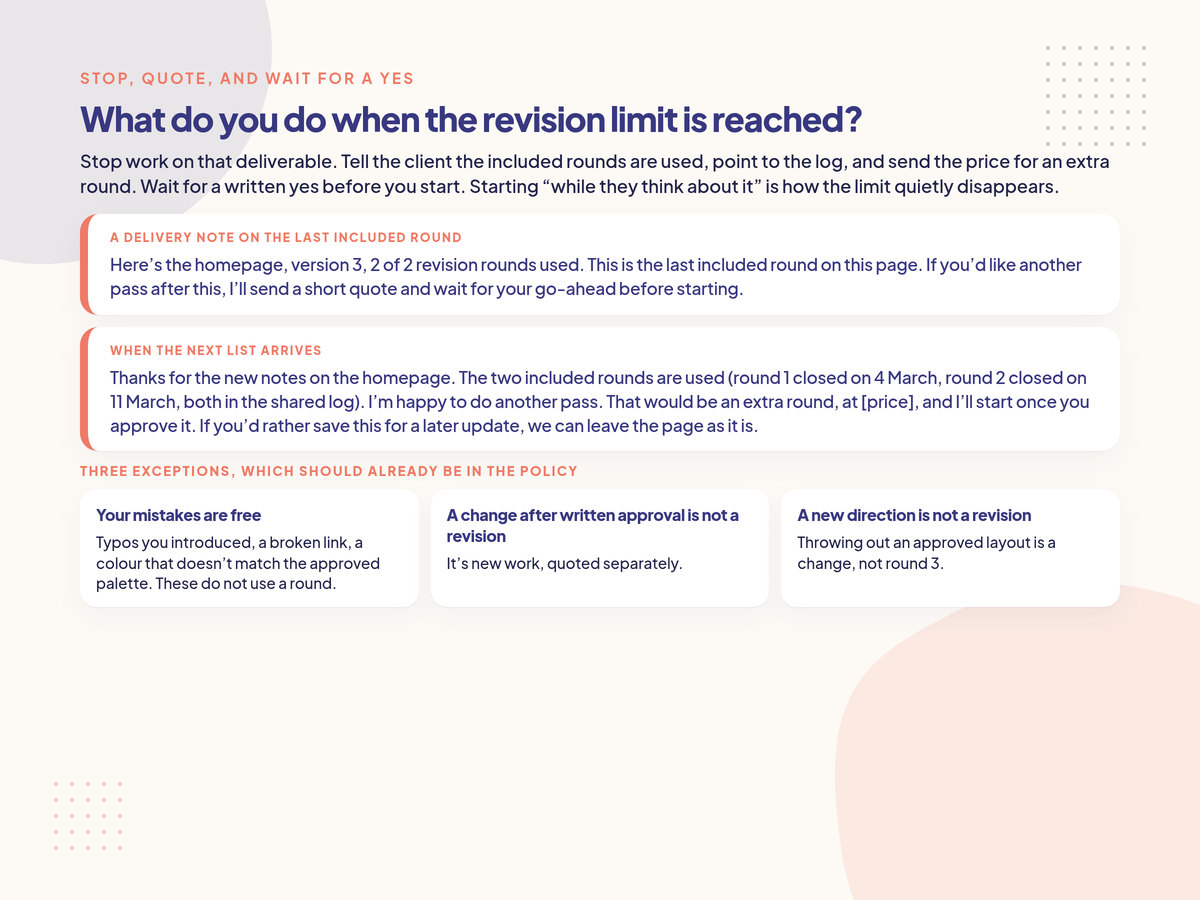
Stop work, send the price, and wait for a written yes. Starting "while they think about it" is how the limit disappears.
Log the extra round only after the yes comes back, as "Extra 1," with the quoted price in the notes. If they decline, close the deliverable as approved on the last included version.
How do you handle drip feedback and extra stakeholders?
Ask for one list, from one approver, in one place. If notes arrive in Slack, email and comments, copy them into a single list and ask the approver whether that's everything. Don't start the round until they confirm. Conflicting notes from two people are a decision for the approver, not a guess for you.
Drip feedback turns one round into a week of half-edits, and extra stakeholders reopen signed-off pages. The log only works if you know when a round is open. A few rules that keep the count honest:
Name one approver in the scope. Other people can comment, but the round starts when that person sends (or confirms) the list.
Pick one official channel for feedback on a deliverable: the comment thread, the request link, or a single email chain. When a note arrives somewhere else, copy it into that channel and reply there.
Don't start on a partial list. The "is that everything?" message is the cheapest insurance you have.
When two people disagree, pause. Add a row or a note that the round is waiting on a decision, and ask the approver to pick. Implementing both, or the later email, is how you redo the same work in the next round.
If new people join mid-project and want to reopen approved work, that's usually a change, not a fresh set of included rounds. The scope creep clause is the contract wording for that rule; the log is how you show the earlier approval.
How do you track revision rounds on a retainer?
Use the same per-deliverable log, and reset or carry the cap the way the agreement is written: per month, per request, or per deliverable. If the retainer is hours-based, log hours as well as rounds. The monthly cap is easy to lose if you only remember the last conversation.
A monthly retainer can hide revision creep, because there's no single end of the project to force a count. Decide, in the agreement, what you're actually capping:
Rounds per deliverable per month, for recurring design or content (2 rounds on each month's pack of posts, for example).
A shared monthly round cap, if you do lots of small graphics and a per-item cap would be fussy. Show "5 of 8 monthly rounds used" in the same places you'd show a project count.
Hours, not rounds, if the retainer is an hours bank. In that case the revision log still helps you see how the hours were used, but the limit you enforce is the hour cap.
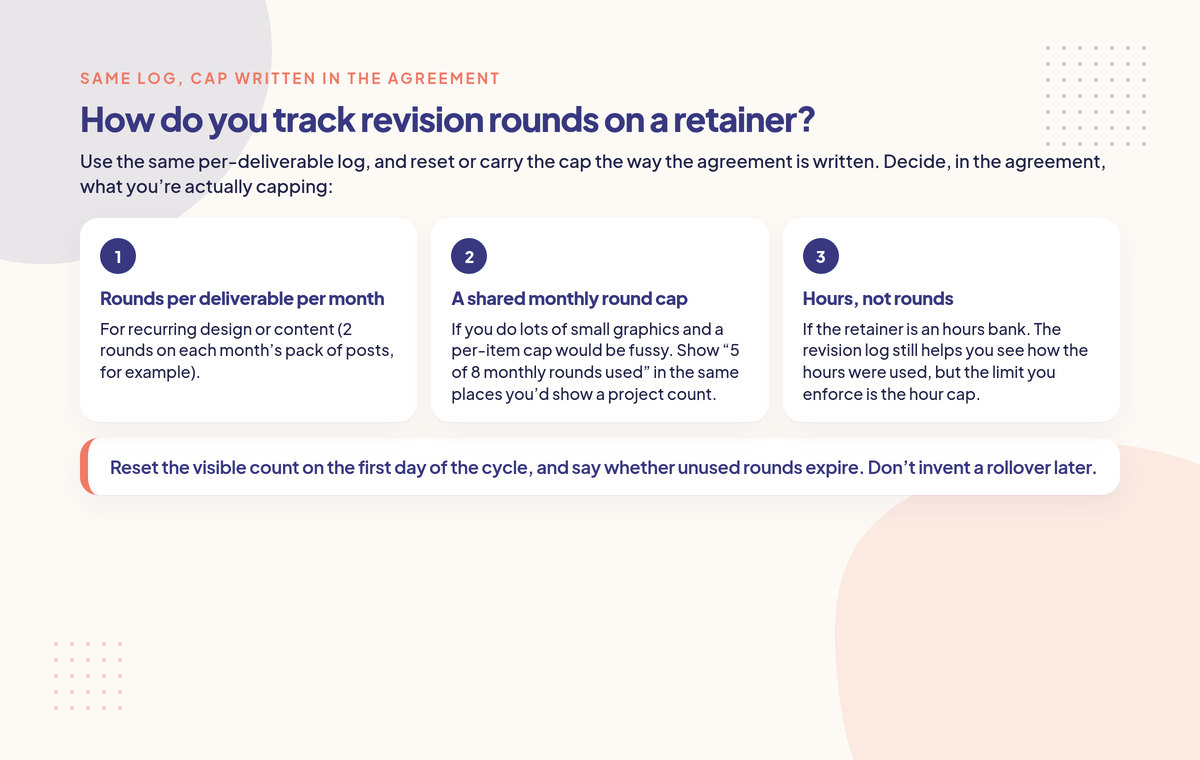
Use the same per-deliverable log, and cap it the way the agreement is written. Don't invent a rollover later.
Reset the visible count on the first day of the cycle, and say whether unused rounds expire. Don't invent a rollover later. When a request is past the month's cap, treat it like any other extra: quote it, or swap it for something not yet started, and wait for a yes. How to handle extra work on a retainer covers that step.
Example (hypothetical): three pages, two rounds each
This is a made-up example with simple round numbers, to show how the log and the visible count work together. It is not a real client.
A freelance designer is building three page designs for a pottery studio site: Home, Shop and Classes. The scope includes 2 revision rounds per page. A round is one confirmed list from the owner, Alex. Extra rounds are $250 each, quoted before work starts.
At kickoff the log looks like this:
Deliverable | Included | Round | Opened | Closed | Version sent | Included or extra | Approval |
|---|---|---|---|---|---|---|---|
Home | 2 | - | - | - | home-v1 (0 of 2 used) | - | Pending feedback |
Shop | 2 | - | - | - | - | - | Not started |
Classes | 2 | - | - | - | - | - | Not started |
Alex sends four notes on Home. The designer confirms the list, does the pass, and sends home-v2-1-of-2.pdf with the subject "Home, version 2, 1 of 2 revision rounds used." The Home row for round 1 is closed the same day. Shop and Classes still sit at 0 of 2.
A week later, Alex sends a second Home list. The designer delivers home-v3-2-of-2.pdf and writes: "This is the last included round on Home." Shop is now in progress at 1 of 2. Classes still haven't started. The summary line in the email is:
Current count: Home 2 of 2 used. Shop 1 of 2. Classes 0 of 2.
Two days later, Alex asks for a new hero image and a fourth testimonial on Home. That is not a Shop or Classes round, and Home has no included rounds left. The designer doesn't start. They point at the two closed Home rows and send the $250 extra-round quote. Alex approves it by email. Only then does the log get a Home row labelled "Extra 1," and the next file is named home-v4-extra-1.pdf.
If the new hero request had arrived while Shop still had a round left, it still would not have been billed to Shop. The counters stay with their pages.
FAQ: how to track client revision rounds
How many revision rounds should I include?
Two rounds per deliverable is a common default for design, web and copy work. Three can make sense for logos and other subjective identity work, and one can work for small, templated jobs. Pick a number, build it into the fee, and write it next to the deliverable. How to charge for extra revisions covers the choice in more detail.
Do my own mistakes count as a revision round?
No. Fixing something you got wrong (a typo you introduced, a broken link, or a colour that doesn't match the approved palette) is free and should not move the counter. Write that into the policy. New changes in the same message still count: fix the error, and put the new asks on the current or next round's list.
Is a change after approval still a revision?
No. Once the named approver has approved a version in writing, further changes to it are new work, not another included round. Quote them, and start only after a yes. The change request form is a simple way to record that ask, and a change order template is there if you want a more formal record.
Should I offer unlimited revisions?
Usually not. An unlimited cap gives the client no reason to send one list, and it makes the work hard to price. If you still offer it, cap the window instead ("unlimited rounds for 14 days after the first version") and keep the same log so you can see the cost. The revision cost calculator will show the unpaid time.
What if feedback arrives in Slack, email and comments at once?
Treat one channel as official, copy every note into a single list, and ask the named approver to confirm that the list is complete. The round starts when they confirm, not when the first informal message arrived. Until then, the log stays open or unopened, and you don't start the pass.
The short version
Keep one log per deliverable, with a row for each round. Send the first version at 0 of 2 used. Confirm the list, do the pass, close the row the same day, and put the new count on the file and in the email. On the last included round, say so. At the limit, quote the extra round and wait for a written yes before you start.
Keep one log per deliverable, put the count on every version, and wait for a written yes before starting an extra round.
Start with the revision policy template, price extras with the revision cost calculator, and use how to charge for extra revisions when you need the fee, not just the count.
Creepless checks every client request against the scope you agreed.