What's Included in a Website Maintenance Retainer
A countable care-plan menu: updates, backups, security, support hours, and what isn't included, plus a worked example of quoting a new page before work starts.
What's included in a website maintenance retainer (sometimes called a care plan) is usually the work that keeps a live site healthy: updates, security, backups, uptime checks, and a capped amount of support time for small fixes or content edits. New pages, redesigns and new features are normally excluded and quoted separately. Write those lines as counts and caps, not as "we'll look after the site."
What's included in a website maintenance retainer?
In most care plans, the included work is scheduled updates, security monitoring, backups, uptime checks, and a stated cap of support time for small fixes or content edits. New pages, redesigns and new features stay off the list and get a separate quote. The plan is only as clear as those counts and caps.
The point of the plan is to keep an existing site running, patched and recoverable, not to fund new builds. Hosting, content help or performance work can sit in the same plan, but only if you write them in.
For web design agencies and freelancers, this offer usually starts after launch. Scope the launch project and the care plan separately, even when the same studio does both.
What should you list as included, in countable terms?
Don't write "we'll maintain the site." Write the jobs, the frequency, and the cap. Updates monthly, off-site backups on a named schedule, monitoring that's actually watched, a set number of support hours or tickets, and a short monthly report. If a line can't be counted or scheduled, it will be argued later.
A useful included list looks like this:
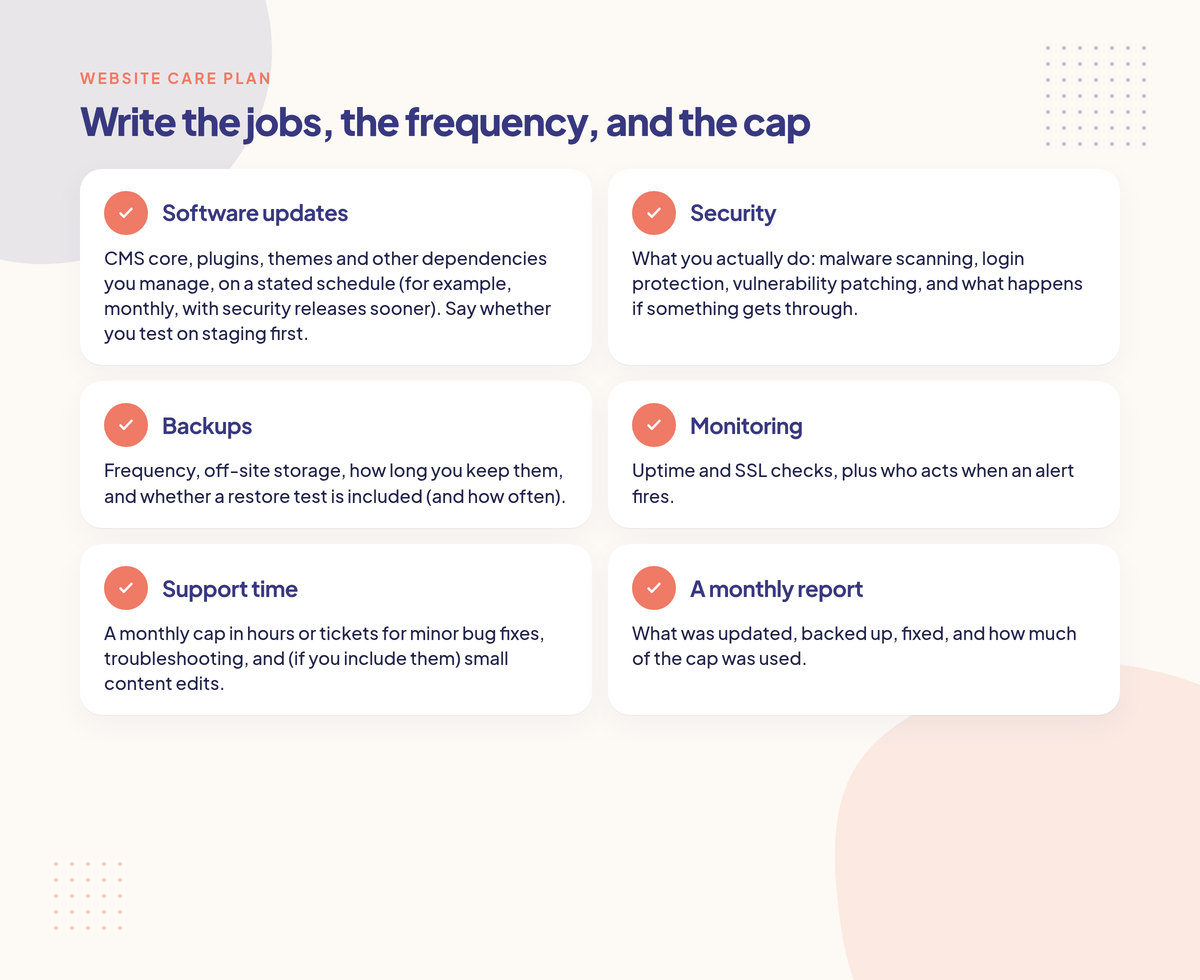
Software updates. CMS core, plugins, themes and other dependencies you manage, on a stated schedule (for example, monthly, with security releases sooner). Say whether you test on staging first.
Security. What you actually do: malware scanning, login protection, vulnerability patching, and what happens if something gets through.
Backups. Frequency, off-site storage, how long you keep them, and whether a restore test is included (and how often). A backup that has never been restored is a hope, not a plan.
Monitoring. Uptime and SSL checks, plus who acts when an alert fires.
Support time. A monthly cap in hours or tickets for minor bug fixes, troubleshooting, and (if you include them) small content edits.
A monthly report. What was updated, backed up, fixed, and how much of the cap was used.
You can also include managed hosting, performance checks or SEO hygiene (broken links, title tags, Search Console errors) if you want the plan to cover them. Write each one down, with a frequency or a cap.
There's no official number of support hours for a care plan. Pick a cap you can actually deliver in a normal month, then price the fee from the work involved. The retainer pricing calculator is for that fee step, not for inventing a standard package price.
The Association for Project Management describes change control as evaluating requests against an approved baseline. On a care plan, this list is the baseline. If a job isn't on it, or it would blow the cap, it needs a decision before anyone starts.
What isn't included in a website maintenance retainer?
Work that changes what the site is, not just how well it runs, is usually extra: new pages, new features, redesigns, new integrations, copywriting, and major platform migrations. Third-party outages (hosting, DNS, payment tools you don't manage) shouldn't be treated as included support unless the agreement says you handle them.
Write the exclusions next to the inclusions, or attach both as a scope of work exhibit. Clients often assume a care plan covers "anything small," and a new landing page can feel small to them. If the list says "new pages are quoted separately," the conversation is shorter.
Exclusions to name:
New pages, templates, forms or sections
New features or third-party integrations
Redesigns, reskins or a new information architecture
Content creation (copy, photography, video), as opposed to placing text or images the client already has
Major version upgrades or moving the site to a new platform
SEO campaigns, ads or ongoing marketing work (those are a different offer)
Rush or weekend work, unless you've included a stated emergency path
Issues caused by tools you don't manage (a payment provider outage, or DNS the client controls)
If you do want an item from that list in the plan, move it to the inclusions side and give it a cap. "Small content edits, up to 3 hours a month" is included work. "Content edits" with no cap is a hole.
Also say what you'll fix at no extra charge when something you changed breaks. If a plugin update you applied takes a form down, fixing that regression should be on you, not billed out of their support hours, unless you've written a different rule.
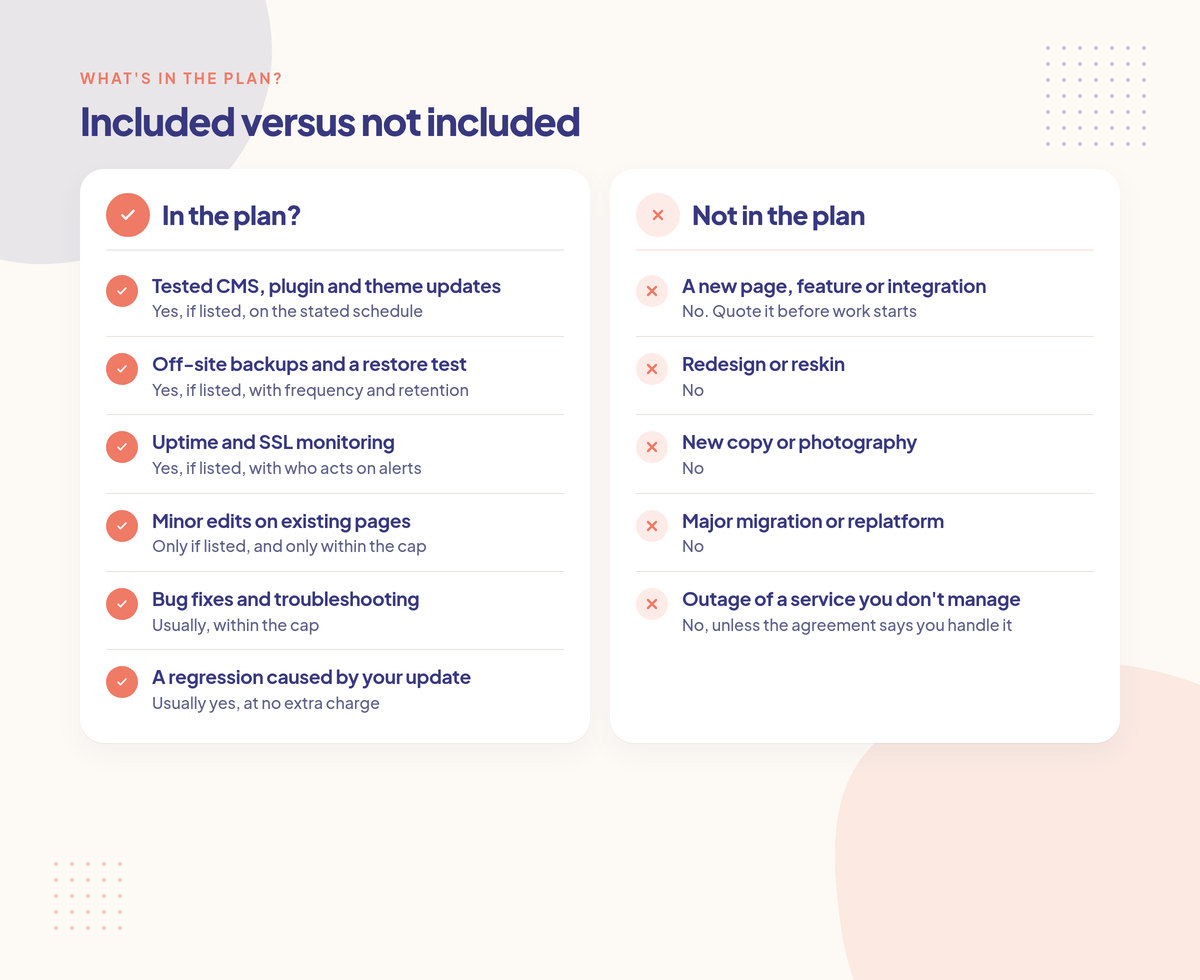
Request | In the plan? |
|---|---|
Tested CMS, plugin and theme updates | Yes, if listed, on the stated schedule |
Off-site backups and a restore test | Yes, if listed, with frequency and retention |
Uptime and SSL monitoring | Yes, if listed, with who acts on alerts |
Minor edits on existing pages | Only if listed, and only within the cap |
Bug fixes and troubleshooting | Usually, within the cap |
A regression caused by your update | Usually yes, at no extra charge |
A new page, feature or integration | No. Quote it before work starts |
Redesign or reskin | No |
New copy or photography | No |
Major migration or replatform | No |
Outage of a service you don't manage | No, unless the agreement says you handle it |
How do you tell a small edit from a new page?
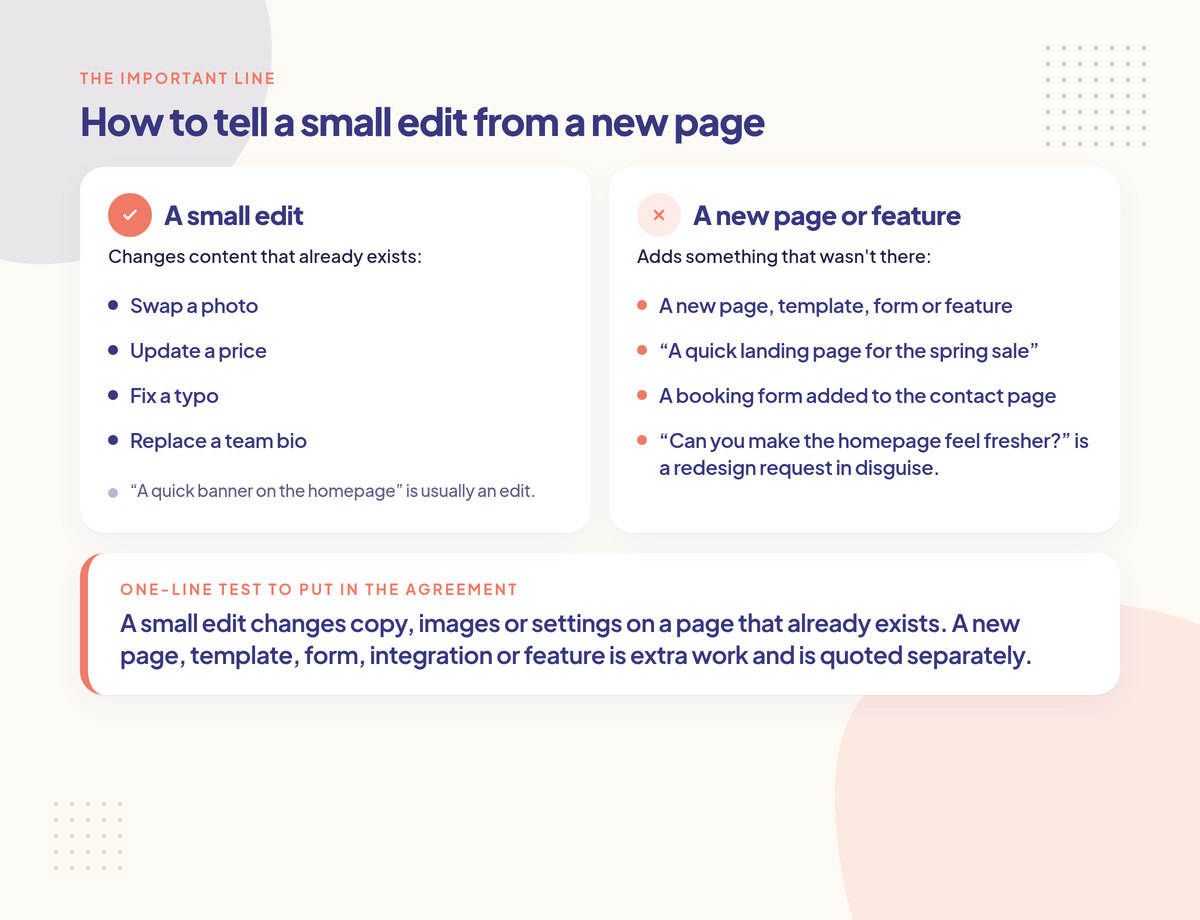
A small edit changes content that already exists: swap a photo, update a price, fix a typo, replace a team bio. A new page, template, form or feature adds something that wasn't there. Write that line in the plan. If a request sits in the middle, pause, estimate it, and sort it before you start.
The grey area is where care plans leak. A "quick banner on the homepage" is usually an edit. A "quick landing page for the spring sale" is a new page. A booking form added to the contact page is a new feature, even if it lives on an existing URL. "Can you make the homepage feel fresher?" is a redesign request in disguise.
When you're not sure, treat it as "needs a closer look." Ask one question, estimate the time, and say whether it fits the remaining cap or needs a quote.
Put a one-line test in the agreement if you can:
A small edit changes copy, images or settings on a page that already exists. A new page, template, form, integration or feature is extra work and is quoted separately.
What happens when a care-plan request is extra?
You quote it and wait for a written yes before you start, the same way you would on any other retainer. Don't quietly build the new landing page inside "support hours" and hope the month evens out. Tell the client it's outside the plan, give a price and a date, and let them choose.
The UK government's Teal Book guidance on change control says changes are inevitable, but they should only be implemented through a structured process that protects the baseline against scope creep. On a care plan, that process can be short:
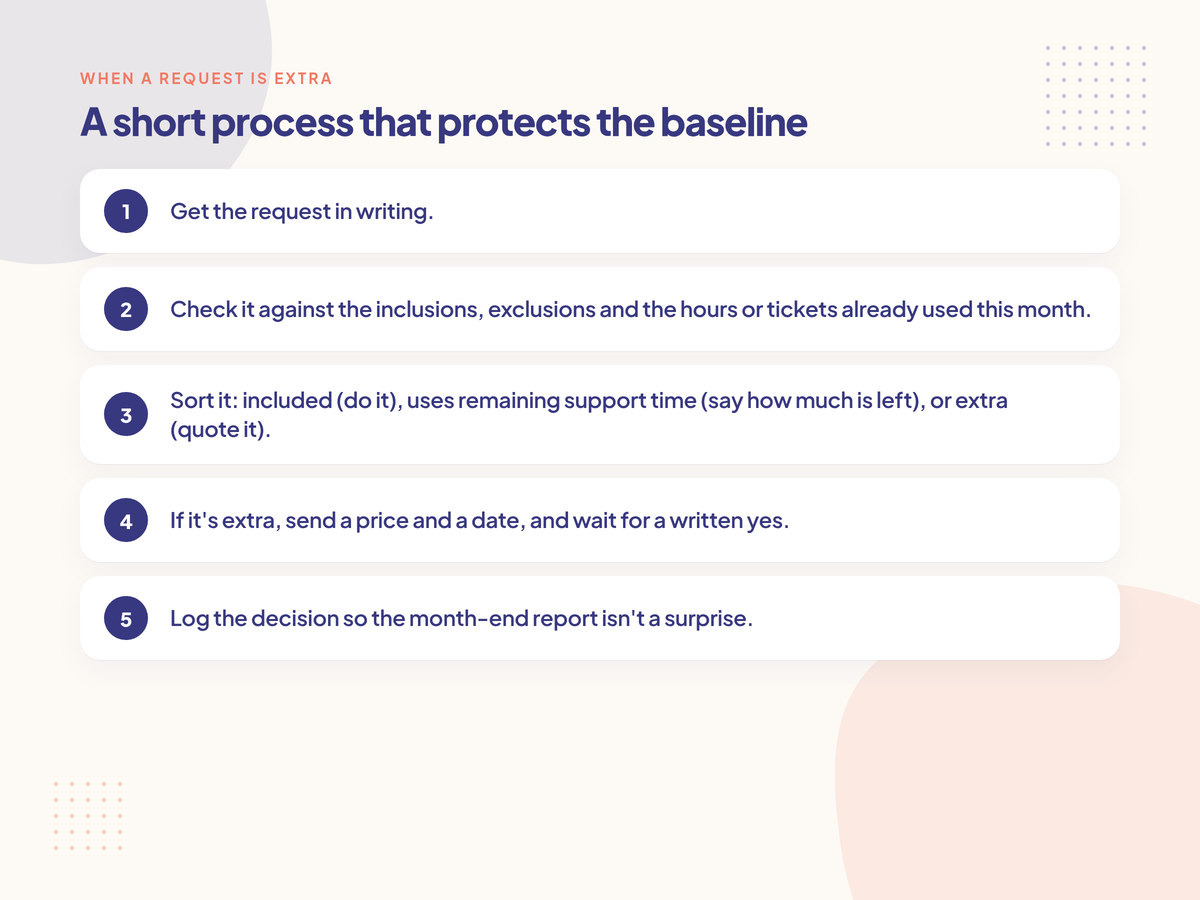
Get the request in writing.
Check it against the inclusions, exclusions and the hours or tickets already used this month.
Sort it: included (do it), uses remaining support time (say how much is left), or extra (quote it).
If it's extra, send a price and a date, and wait for a written yes.
Log the decision so the month-end report isn't a surprise.
If you need help pricing a defined extra, how to price a change request has a formula. The replies and options (pay, swap, or move to next month) are in how to handle extra work on a retainer. You can also send the extra on a change request form.
Say in the agreement whether unused support hours expire or carry over, and what happens when the cap is already used up (a stated overage rate, or the work waits until next month). Write the rule; don't leave it implied.
In Creepless you set the care-plan rules for that client (included updates, excluded new pages, the hour cap). The client sends requests through a private link (no login), and an AI scope referee marks each one Included, Extra or Needs review and cites the rule it used. Extras become a quote the client approves on that link before work starts.
Example (hypothetical): A care plan includes monthly tested updates of the CMS, plugins and theme; daily off-site backups with one restore test a month; uptime monitoring; and 3 hours of support for minor content edits and bug fixes. New pages, new features, redesigns and copywriting are excluded. The monthly fee was priced separately.
On the 12th, the client asks for a "quick spring sale landing page." That is a new page, not an edit to an existing one. You estimate 6 hours at $100 an hour, so $600, ready in five business days. You send the quote and wait. The client approves it in writing. The 3 support hours stay available for actual plan work, including a price change on an existing product page later that week.
If you had built the landing page inside the 3 hours as a favour, the plan would have been used up, the price change would have had no room left, and the new page would have gone out with no record it was extra.
PMI's 2018 Pulse of the Profession, reported in "Scope Patrol", found that 52% of projects completed in the previous 12 months had scope creep or uncontrolled changes, up from 43% five years before. That survey covered project teams in larger organizations, not website care plans. PMI's definition still fits: uncontrolled change is work that expands without a matching change to time, cost or resources.
FAQ
What's the difference between website hosting and a maintenance retainer?
Hosting keeps the site online (server, SSL, maybe a CDN). A maintenance retainer is the work of looking after the site: updates, backups, security, monitoring and capped support. Some plans include hosting, some don't. Say which it is, and who acts when the host has a problem.
Are content updates included in a website care plan?
Only if the agreement says so, and only within the definition and cap you wrote. Swapping a photo or a bio on an existing page can be included support. Writing the bio, or building a new page to put it on, is usually extra.
How many hours should a website maintenance retainer include?
There's no official figure. Choose a monthly cap you can deliver without crowding out the scheduled updates and backups, then price the fee from that work. Write the cap in hours or tickets, and say what happens if it's used up.
What should a website maintenance retainer exclude?
Name the work that changes the site rather than keeping it healthy: new pages, new features, redesigns, new integrations, copywriting and major migrations. Also say how you handle tools you don't manage, and whether rush work is extra.
The short version
A website maintenance retainer should list the jobs that keep the site healthy, with a frequency or a cap on each one, and list the work that is not included. The important line is the one between a small edit on an existing page and a new page or feature. When a request is extra, quote it and wait for a written yes before you start. Price the monthly fee separately, and write the menu into the agreement.
Creepless checks every client request against the scope you agreed.