Scope Creep in Software Development: How to Handle It
How to handle scope creep in software development: sort a bug from a new feature, write the request down, and quote extras before work starts.
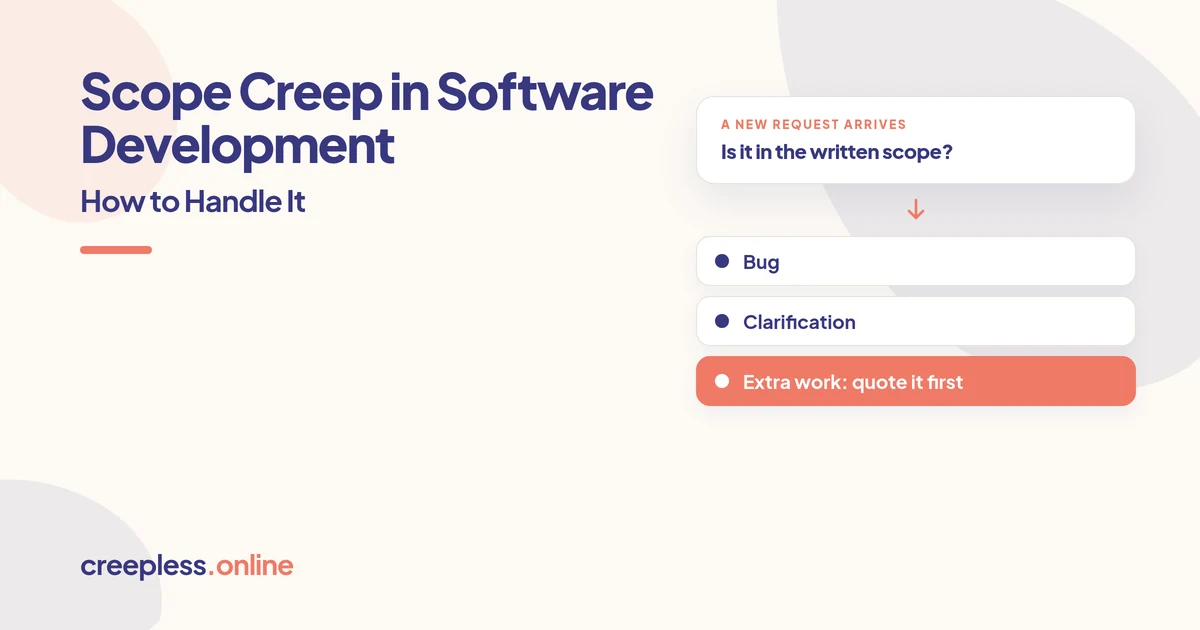
Scope creep in software development is new or bigger work that slips into a build without a matching change to price, timeline or written scope. You handle it the same way every time: get the request in writing, check it against the agreed scope, decide whether it's a bug, a clarification or extra work, and quote anything extra before anyone writes code.
This guide is for small dev studios and freelancers who build software for clients, on a fixed-price project or a maintenance plan. It's not about internal product teams or change control boards. Below: what scope creep looks like in a software project, how to tell a bug from a new feature, a five-step way to handle each request, how sprints and fixed bids change things, and a hypothetical mid-build example.
What does scope creep look like in software development?
In client software work, scope creep is any growth in what you build that nobody priced or approved against the written baseline. The request itself is often reasonable. The problem is that it gets built as if it were already included, so the hours go up while the fee and the deadline stay where they were.
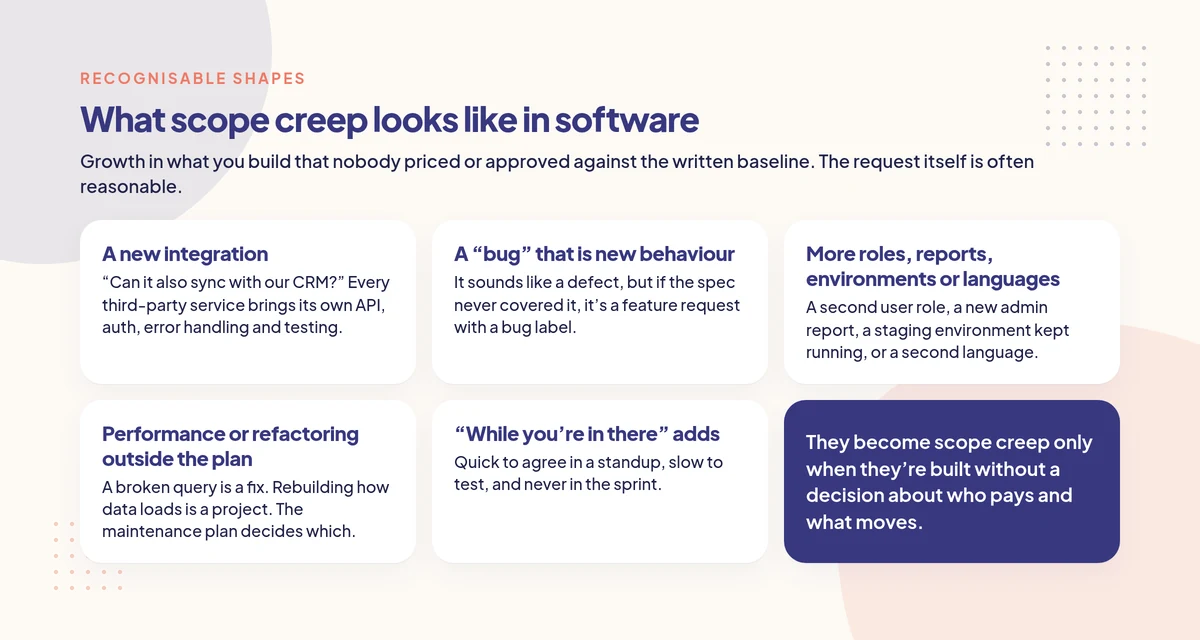
If you want the general definition and examples from other kinds of agencies, the what is scope creep guide covers that. In software, it tends to show up in a few recognisable shapes:
A new integration. "Can it also sync with our CRM?" or "Can we take Apple Pay too?" Every third-party service brings its own API, auth, error handling and testing, even when the button looks small.
A "bug" that is really new behaviour. "The export doesn't include last year's data" sounds like a defect. If the spec only ever covered the current year, it's a feature request with a bug label on it.
More roles, reports, environments or languages. A second user role with different permissions, a new admin report, a staging environment the client now wants kept running, or a second language for every screen.
Performance or refactoring work outside the plan. "The dashboard feels slow" can mean a broken query (a fix) or a request to rebuild how data loads (a project). If you're on a maintenance plan, the plan decides which is which.
"While you're in there" adds. A developer is touching the checkout, so the client asks for a coupon field at the same time. It's quick to say yes in a standup. It's slow to test, and it was never in the sprint.
None of these is a bad request. Some of them are the best ideas the client will have all project. They become scope creep only when they're built without a decision about who pays and what moves.
The request is often reasonable. The problem is building it without a decision about who pays.
It's also common. PMI's 2018 Pulse of the Profession found that 52 percent of projects completed in the previous 12 months had scope creep or uncontrolled changes, up from 43 percent five years earlier (PMI, "Scope Patrol"). That survey is a broad one of project professionals, not of small studios, so treat it as a sign of how normal the problem is rather than a number for your own projects.
Is it a bug, a clarification, or extra work?
Sort every request into one of three buckets. A bug is existing, specified behaviour that doesn't work. A clarification tightens a requirement you already agreed without changing what it's meant to do. Extra work adds a new capability, a new integration or a real change in behaviour. Anything you can't place yet needs a question.
The line that keeps this fair is simple: a bug is an existing feature not working as specified. Anything that adds behaviour the spec never included is a feature request, and can be quoted.
Bucket | What it means | Software example | What usually happens |
|---|---|---|---|
Bug | Something the spec describes doesn't work | The password reset email never arrives | Fixed under the build or warranty, no quote |
Clarification | Detail on an agreed requirement, same intent | "Sort the orders list newest first" when the spec just said "orders list" | Usually included if it's small and fits the original intent |
Extra work | New capability, integration or changed behaviour | "Add sign-in with Microsoft accounts" when the spec said email and password | Quoted, then built only after a written yes |
Needs a question | You can't tell yet | "Reports are wrong" with no detail, or vague acceptance criteria | Ask before you answer, and don't start work |
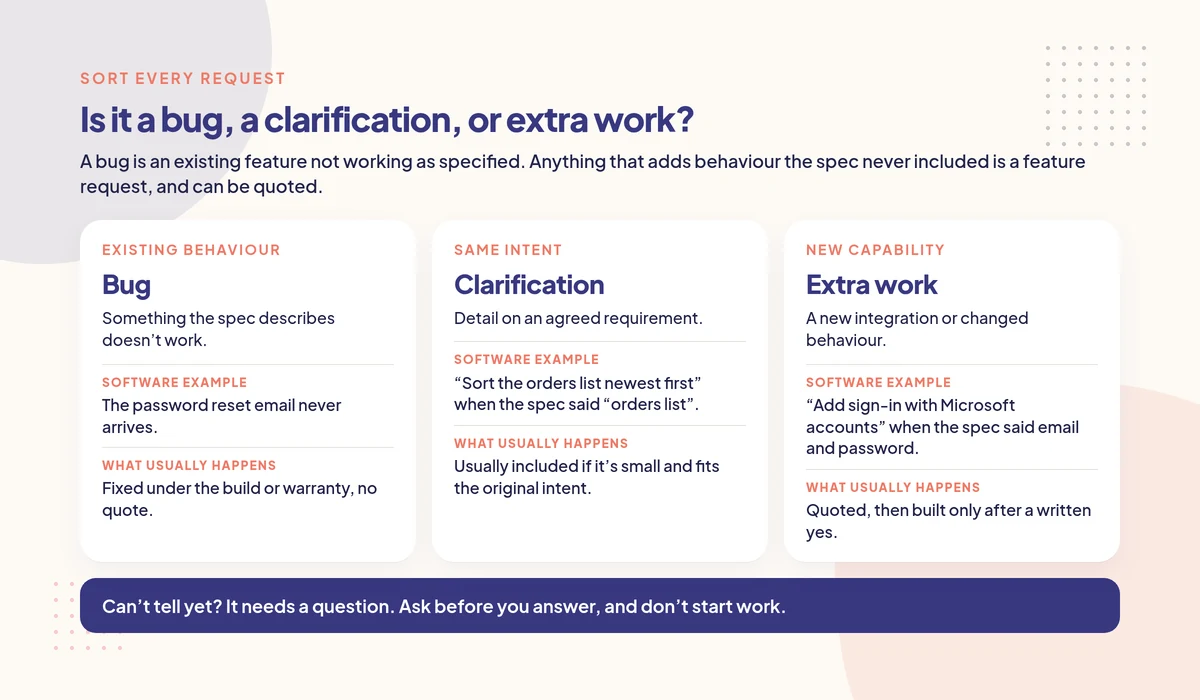
A bug is an existing feature not working as specified. Anything that adds behaviour the spec never included can be quoted.
Grey areas cause most of the arguments. "We assumed it would do that" usually means the acceptance criteria were thin. Don't treat that as a silent yes, and don't treat it as an automatic no either. Put it in the "needs a question" bucket, check what the scope actually says, and decide openly. If the gap is your own (you missed something the spec clearly implied), say so and absorb it. If it isn't, it's extra.
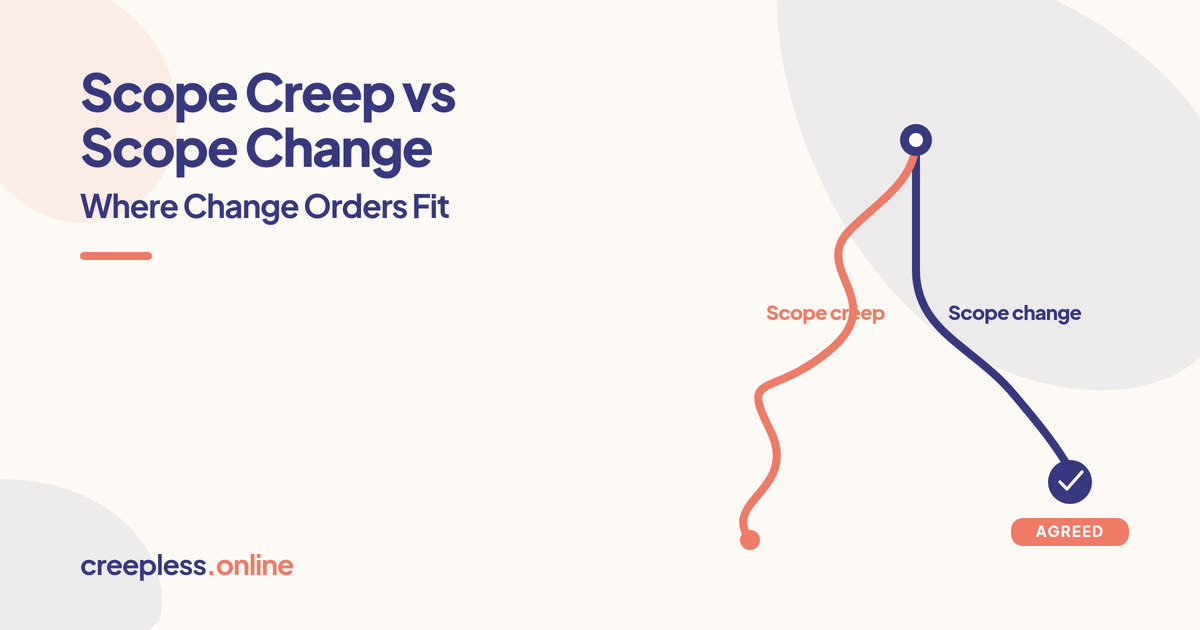
A quick note on words: when the client keeps adding features to the product itself, people call it feature creep. For your billing, it's handled the same way as any other extra. And once a request is priced and approved, it stops being scope creep and becomes a scope change. The post on scope creep vs scope change explains that difference and where a change order fits.
How to handle scope creep in software development (step by step)
Handle scope creep in software development with the same five steps for every mid-project request: get it into one written place, check it against the written scope, classify it, quote it if it's extra, and start only after a written yes. Then update the baseline, so the next request is checked against the new version.
A two-person studio can run this without any special software. What matters is that it happens every time, including for the small asks.
Step 1: Get the request in one written place
Requests in software projects arrive everywhere: a Slack thread, a comment on a staging link, a call, a ticket the client opened themselves. Pick one place where a request counts, and move everything else there. A voice note or a hallway chat can start a request, but it isn't the record.
The written version should say what the client wants and why, in their words. "Sync contacts to our CRM so sales sees new sign-ups" is far easier to scope than "CRM thing we discussed."
Step 2: Check it against the scope, exclusions and acceptance criteria
Open the agreement and look for three things: is this feature or integration named, is it on the not-included list, and what do the acceptance criteria say "done" means for the related feature? If the answer is clearly in the document, you're nearly done. If the document is vague, that's useful to know too, and it's a reason to tighten the next one.
Step 3: Classify it
Put it in one bucket: bug, clarification, extra work or needs a question. Write the reason next to it, ideally pointing at the line in the scope. "Extra: integrations listed are Google sign-in only (section 2)" is a reason the client can check for themselves. "Feels out of scope" isn't.
Step 4: If it's extra, price the impact and send a short quote
Estimate the work honestly, including the parts clients don't see: API setup, edge cases, testing, deployment and any change to the timeline. Then send a short quote. Say what's included, the price and how it affects the delivery date, and add what you need from them to start. The guide on how to write a quote for additional work covers what to put in that document, and how to price a change request covers the number itself.
If you'd rather use a ready format, the free change request form records the change, cost, timeline and approval, and the change order generator turns hours or a fixed fee into a change order you can download as a PDF and send for signature. For the message that goes with it, the out-of-scope scripts have wording for the common cases.
Step 5: Start only after a written yes, then update the baseline
An email that says "Yes, go ahead with the CRM sync at the quoted price and the new date" is enough for most small projects. Once you have it, add the approved change to the scope or backlog and update the timeline. Keep the approval with the project record. The next request then gets checked against the new baseline, not the original one.
This last part gets skipped a lot. If approved changes live only in someone's inbox, three months later nobody can tell which features were in the original price and which were added.
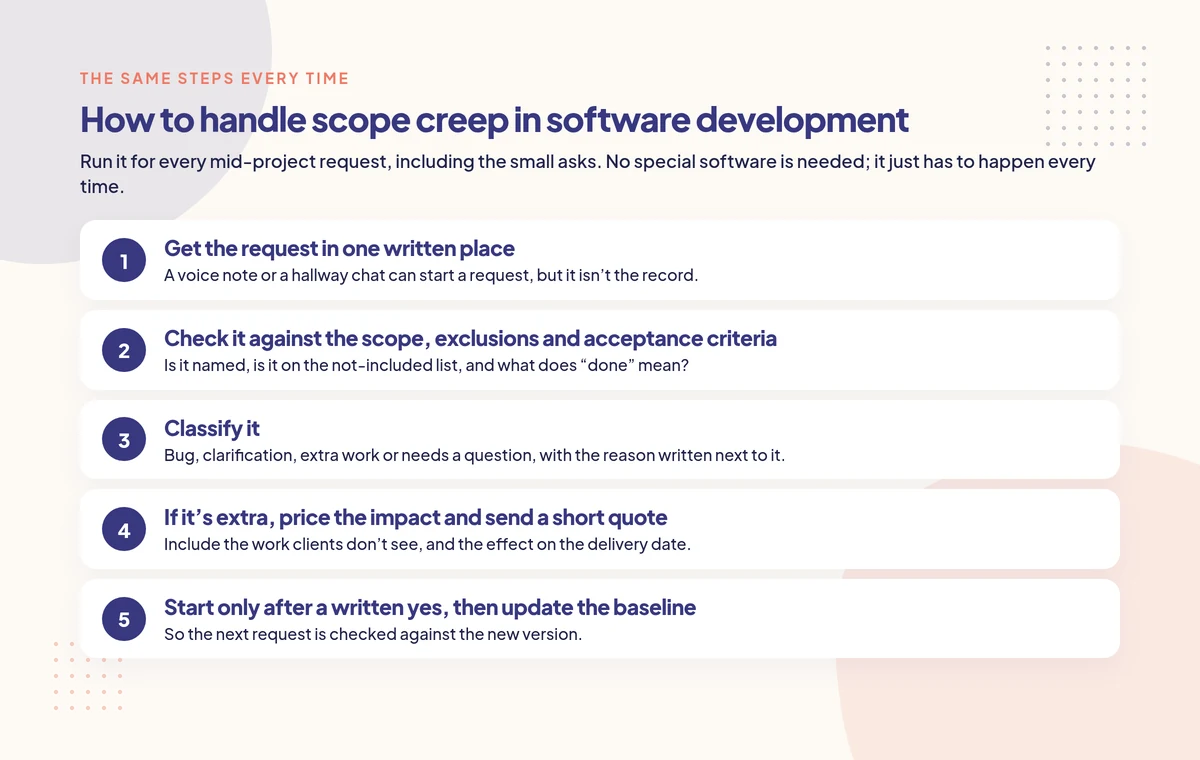
Run the same steps for every mid-project request, including the small asks.
How would you handle scope creep in a software development project?
A strong answer has four parts. Name the baseline you're measuring against. Classify the request as a bug, clarification or extra. Offer the client options: pay for it as an extra, swap it for something of similar size, or defer it to a later phase. Don't start until the decision is in writing.
This is also how the question gets asked in interviews for developer, project manager and agency roles. Interviewers want to hear that you won't just say yes to keep the client happy, or give a flat no. Something like this works:
"First I'd check the request against the agreed scope and acceptance criteria, so we're talking about the same baseline. If it's a bug in something we promised, we fix it. If it's new, I'd estimate the impact on time and cost and give the client options: add it as a paid change with a new date, swap it for something of similar size that hasn't started, or move it to a later phase. Nothing gets built until they've picked one in writing, and then the scope and plan get updated."
Large organisations often add a formal change control board, with impact assessments and approval thresholds. That's a valid path for big programmes. For a small studio billing a client, it's usually more process than the project needs, and the four steps above do the same job.
How do sprints and fixed bids change the way you handle it?
The contract type decides who absorbs extra work. On a fixed-price build, unapproved additions come straight out of your margin, so every extra needs a quote. In sprint-based or time-and-materials work, new items can join the backlog, but the client still has to accept the trade-off in time, money or other features.
Fixed-price builds
A fixed bid only works if the scope is fixed too. Martin Fowler makes this point in his note on fixed price: when people say fixed price they usually mean fixing price, time and scope, and that "requires detailed, stable, and accurate requirements." When requirements move, either the scope gets renegotiated or the developer quietly pays for the difference. The step-by-step process above is how you renegotiate instead of paying.
Sprints and agile projects
Agile doesn't mean anything goes. The Agile Manifesto principles do say to "welcome changing requirements, even late in development." Welcoming a change still isn't the same as doing it for free. The Scrum Guide is clear about the sprint itself: during a sprint "no changes are made that would endanger the Sprint Goal," and scope "may be clarified and renegotiated with the Product Owner as more is learned."
In practice, for client work: new requests go into the backlog, not into the current sprint. At the next planning session the client chooses. Either the new item replaces something of similar size, or the project gets longer and costs more. In PMI's "Scope Patrol" article, a director of program management at Citibanamex puts it plainly: even in agile, projects "often have a limited budget, and a new requirement shouldn't be introduced into the backlog without verifying how it impacts the budget."
If you're still deciding how to bill a new client, the comparison of hourly vs retainer walks through who carries the risk under hourly, fixed price and retainer models.
Maintenance plans
After launch, most software clients move to a support or maintenance plan. That's where the bug-vs-feature line matters most, because "it's broken" gets used for everything. Write down what the plan covers, for example bug fixes on existing features, security and dependency updates, and a capped number of hours. Then list what sits outside it: new features, new integrations and larger performance work. The guide to what's included in a website maintenance retainer has a fuller list.
What should the software scope make easy to check?
A software scope should make a mid-project request easy to sort. That means counting the things that grow: named features or modules, named integrations, platforms and browsers, environments, user roles, data migration, languages, and acceptance criteria that say what "done" means. If you can't point to a line, you can't classify the request.
The scope of work template gives you the structure. For software, make sure these are countable:
Features or modules, listed by name, with a line or two on what each one does.
Integrations, named one by one. "Sign-in with Google" is checkable. "Social sign-in" invites "and Microsoft too."
Platforms: web only, iOS, Android, which browsers, which minimum versions.
Environments: how many (for example production and one staging) and who pays for hosting.
User roles and what each role can do.
Data migration: whether you're importing old data, from where, how much, and how many attempts.
Languages and locales, if any.
Acceptance criteria for each feature, so "it should also do X" can be checked against what was agreed.
What the maintenance plan includes, if there is one, with the hours cap.
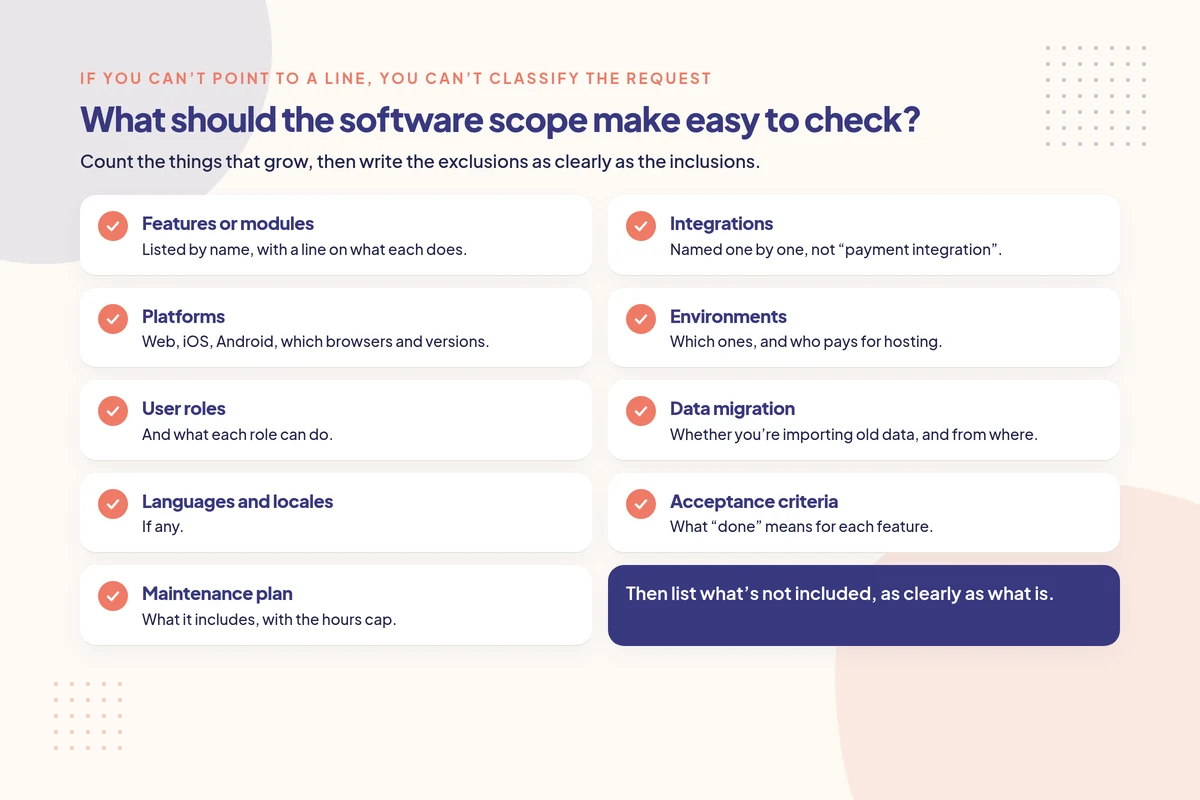
If you can't point to a line, you can't classify the request.
Then write the exclusions as clearly as the inclusions. The free project exclusions generator has an App / software project type and builds a "not included" list you can paste in after the deliverables. If you want a second opinion on vague wording, the scope clarity checker highlights words like "as needed" and "minor changes" that tend to cause trouble later.
Design projects count different things. If you also build marketing sites, the post on how to prevent scope creep in web design covers pages, content and design rounds. Software scopes count features, integrations and environments.
Example (hypothetical): a mid-build integration request
Here's how the process plays out on a made-up project, with round numbers. A two-person studio is building a booking web app on a fixed price. The scope lists email-and-password sign-in, card payments through one named provider, two user roles (customer and admin), and one staging environment. Development is about halfway done.
The client writes in the project channel: "Our corporate customers want to sign in with their Microsoft work accounts. Can we add that before launch?"
Step 1, write it down. The developer replies: "Good idea. I'll log it as a request so we can look at it properly," and copies it into the request list with the client's wording.
Step 2, check the scope. Sign-in is listed as email and password only. Single sign-on isn't mentioned, and "third-party integrations not listed above" is on the exclusions list.
Step 3, classify. Extra work: a new integration and new behaviour, not a fix to anything specified.
Step 4, price the impact. The studio estimates about 24 hours for setup, account linking, edge cases and testing. At a hypothetical $100 an hour that's $2,400, and it pushes launch back by about a week. The quote goes out:
Microsoft work-account sign-in for corporate customers: about 24 hours, $2,400. It adds roughly one week, so launch moves from the 10th to the 17th. Reply "approved" to add it to the build, or choose one of the options below.
Step 5, offer the choices and wait for a yes. The studio gives the client two other options alongside approval:
Defer it. Launch on the original date with email sign-in, then add Microsoft sign-in as a small phase two after launch, quoted the same way.
Swap it. Drop a feature of similar size that hasn't been started (in this case, the admin CSV export) and keep the date and the price.
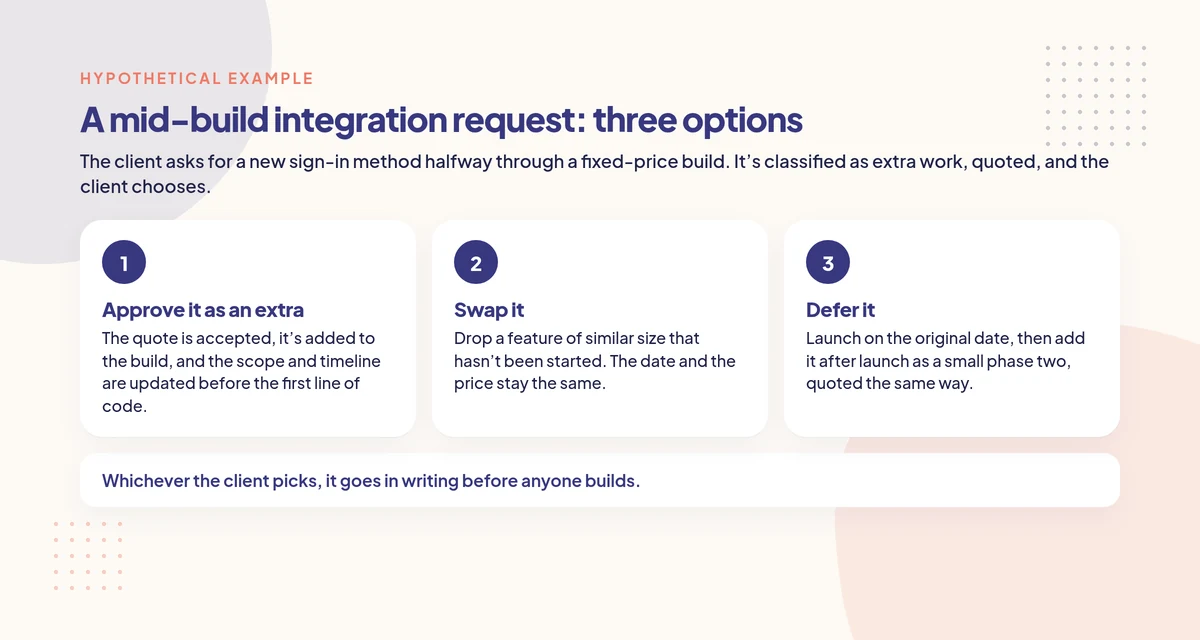
Hypothetical example: the client chooses, and the choice goes in writing.
The client picks "defer." That goes into the project record, the phase two item goes into the backlog with its estimate, and the build carries on without anyone working unpaid weekends. If the client had approved it, the scope document and the timeline would have been updated before the first line of code.
When does a scope creep tool help, and when is a PM board enough?
A project management board like Jira, Linear or Trello tracks the work once it's agreed. It doesn't, by itself, check a request against the client's contract, price it, or get the client's yes before work starts. A scope creep tool covers that front step. If you get a few requests a month, a board plus a template is often enough.
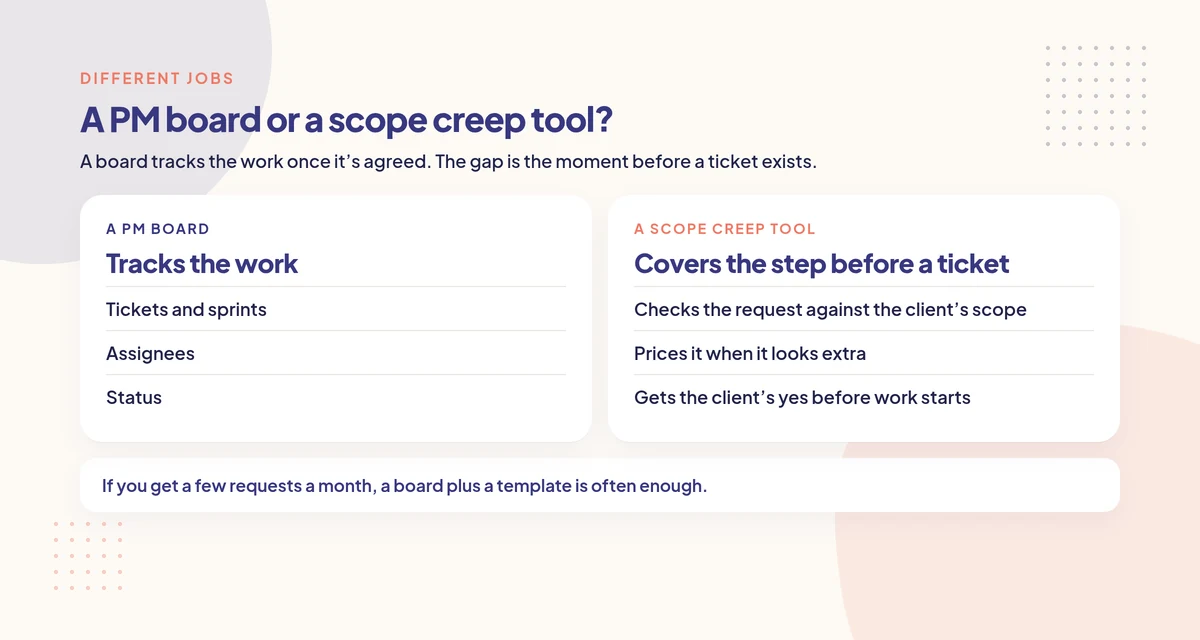
A board tracks the work once it's agreed. The gap is the moment before a ticket exists.
Boards are good at tickets, sprints, assignees and status. The gap is the moment before a ticket exists. A client message turns into a ticket, a developer picks it up, and nobody asked whether it was paid for. You can close that gap by hand with the five steps above and a change request form. It starts to strain when you have many clients, each with different scope rules, and requests arriving through several channels.
That's the job of a scope creep tool. The comparison of scope creep tools lays out the options honestly, including when a template is enough.
Creepless is one of them. Requests come in through a private link for each client (no client account needed), Slack or email. Each one is checked against that client's scope and marked included, extra or needs review, with the rule behind the call and a suggested price when it looks extra. You make the final decision: quote it, approve it as included, ask a follow-up, or decline. The client approves a quote on their link, and nothing is charged before that yes. How it works shows the full flow, and the page for web and app development agencies shows how a typical maintenance plan's rules look. The Free plan covers 2 clients and 20 AI scope checks a month, with no card needed.
FAQ
What is scope creep in software development?
Scope creep in software development is work that gets added to a build without a matching change to the price, timeline or written scope. Typical examples are new integrations, extra user roles, features reported as bugs, and "while you're in there" changes. It becomes a normal scope change once it's priced and approved in writing.
How would you handle scope creep in a software development project?
Check the request against the agreed scope and acceptance criteria, classify it as a bug, clarification or extra work, and for anything extra, estimate the impact and offer options: a paid change with a new date, a swap for something similar in size, or a later phase. Don't start until the client has chosen in writing.
How do you tell a bug from a new feature?
A bug is an existing feature not working as specified. Anything that adds behaviour the spec never included is a feature request, and can be quoted. When the spec is vague and you can't tell, ask before you answer, and fix the wording in your next scope so the same argument doesn't come back.
What are examples of scope creep in software development?
Common examples: adding a payment method or CRM sync that wasn't in the spec, a second user role with different permissions, extra admin reports, a new language, keeping an extra environment running, performance rebuilds outside a maintenance plan, and new behaviour reported as a bug, like an export that "should" include data it was never built to cover.
Does agile still get scope creep?
Yes. Agile welcomes changing requirements, but the budget and time are still limited. The Scrum Guide says no changes should endanger the Sprint Goal. In client work, new requests go into the backlog, and at planning the client either swaps them for work of similar size or accepts more time and cost.
What's the difference between scope creep and feature creep?
Feature creep is the steady pile-up of features in a product, often beyond what users need. Scope creep is about the project agreement: work added without a change to price, time or scope. A new feature request can be both. For billing, treat it like any other extra. For gold plating and scope change, see scope creep vs scope change.
The short version
Scope creep in software development is new work built as if it were already paid for. Handle every mid-project request the same way. Get it in writing in one place. Check it against the scope, the exclusions and the acceptance criteria. Call it a bug, a clarification or extra work, and ask a question when you can't tell. Quote extras with the effect on the date, offer a swap or a later phase as alternatives, and start only after a written yes. Then update the baseline so the next request is checked against the current version.
Get it in writing, check it, classify it, quote extras, and start only after a written yes.
If you want to see what unbilled extras have been costing you, the scope creep calculator puts a number on it.
Creepless checks every client request against the scope you agreed.